
5 Aesthetic Minimalist Desk Setup Ideas Using Upcycled Smartphone Displays
Transform your workspace into a cozy minimalist productivity haven using wooden phone stands, hidden cables, and upcycled smart displays.
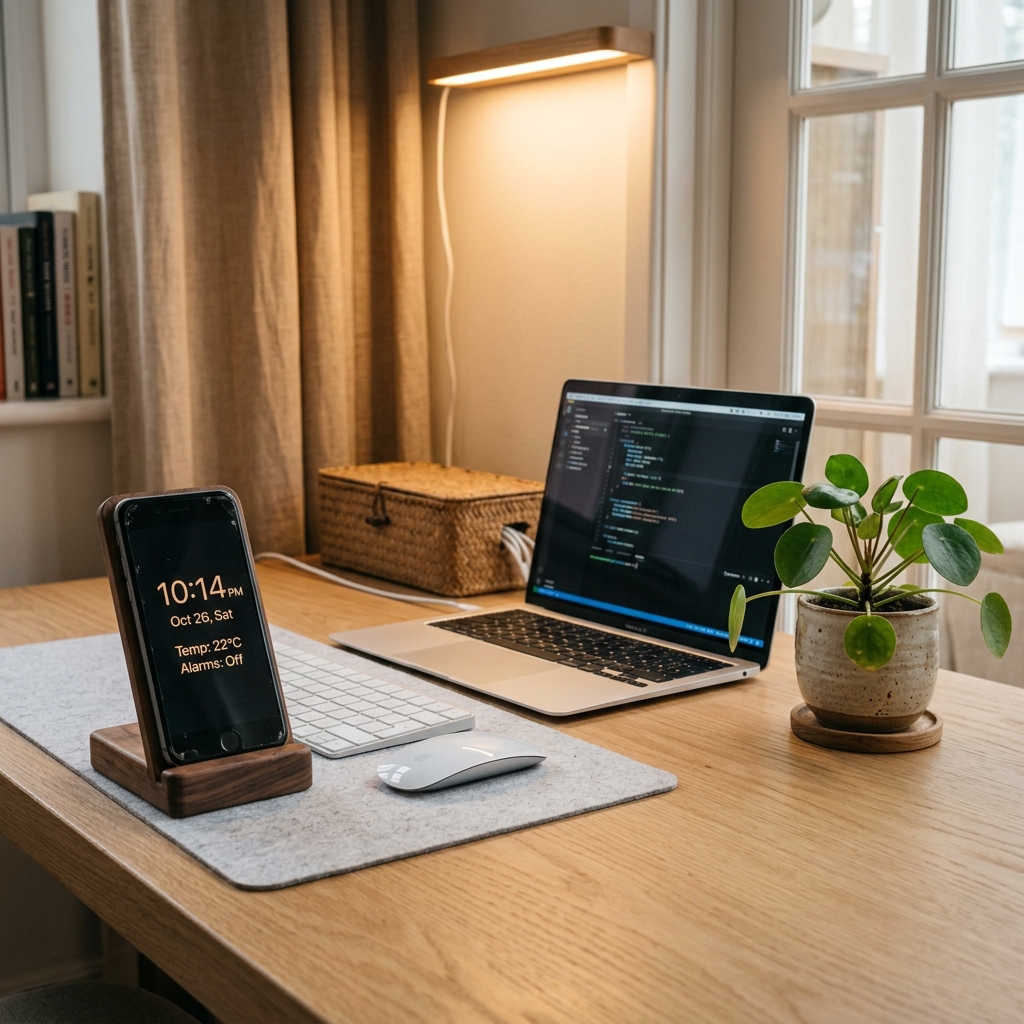
The Art of Building an Aesthetic, Distraction-Free Workspace
In the modern remote work and study era, your desk is more than just a place to rest a laptop—it is an environment that directly influences your daily focus, mood, and creative energy.
The hallmark of a modern aesthetic desk setup is minimalist functionalism: keeping clutter off the desk surface while ensuring every visible item serves a clear purpose.
Instead of spending $50 to $150 on standalone decorative desk clocks or plastic weather stations, your old unused smartphone is the ultimate secret weapon for workspace aesthetic design.
Here are 5 creative ideas to elevate your desk setup using upcycled tech displays powered by Updrawer.
5 Minimalist Desk Setup Decor Ideas
1. The Warm Wooden Stand & Flip Clock Pairing
Natural wood tones—such as walnut, oak, and bamboo—bring warmth and organic texture to modern digital setups.
- Mount an old smartphone or small tablet on an angled wooden dock next to your keyboard.
- Open Updrawer and select the Retro Flip Clock theme.
- The contrast of rich dark wood with mechanical flip digits creates a timeless Pinterest-worthy aesthetic.
2. Concealed Cable Routing with Felt Desk Mats
Nothing ruins clean desk aesthetics faster than tangled black charging cords.
- Use a slim, color-matched charging cable (such as a braided beige or grey cord).
- Pass the cable underneath a felt or leather desk mat or tuck it into desk cable clips.
- This creates an illusion that your upcycled smart clock is completely wireless and floating cleanly on your desk.
3. The Secondary Vertical Information Hub
If you use a laptop or single monitor, position your upcycled phone vertically right beside your screen at eye level.
- Configure Updrawer with the Weather Forecast & Lunar Calendar widget stack.
- This gives you instant visibility over outdoor temperatures and schedule dates without opening extra tabs on your computer.
4. Ambient Nighttime Lighting Harmony
For late-night study or coding sessions, harsh desk overhead lights strain the eyes.
- Switch Updrawer to OLED Dark Mode or Warm Amber Theme.
- Combine your upcycled smart display with a 3000K warm desk lamp or monitor lightbar.
- The soft ambient glow of the clock digits creates a tranquil, focused atmosphere.
5. Eco-Friendly Tech Meets Indoor Greenery
Harmonize upcycled electronics with natural indoor plants like small monstera, pothos, or succulents.
- Placing a small potted plant next to your upcycled smart display highlights your eco-friendly commitment to reducing electronic waste while breathing life into your workspace.
Workspace Setup Comparison
| Traditional Setup | Upcycled Smart Display Setup |
|---|---|
| Cluttered plastic alarm clocks | Sleek, ultra-crisp Retina/AMOLED glass screen |
| Fixed single-function display | Switchable widgets: Flip Clock, Weather, Tasks |
| Costs $40–$100 extra | $0 cost using your existing old phone |
| Battery replacements needed | Continuous power with zero battery replacement |
Give your old phone a proud new home on your desk today and enjoy a clean, inspiring workspace every time you sit down to work.
Biến Điện Thoại Cũ Thành Smart Display Với Updrawer
Đừng để điện thoại cũ bám bụi trong tủ. Kích hoạt ngay giao diện đồng hồ để bàn, lịch âm dương & khung ảnh thông minh chỉ với 1 cú click.