
How to Repurpose an Old Tablet into an Aesthetic Kitchen & Family Dashboard
Turn an unused iPad or Android tablet into a hands-free family kitchen hub for real-time weather forecasts, continuous photo slideshows, and digital clock displays.
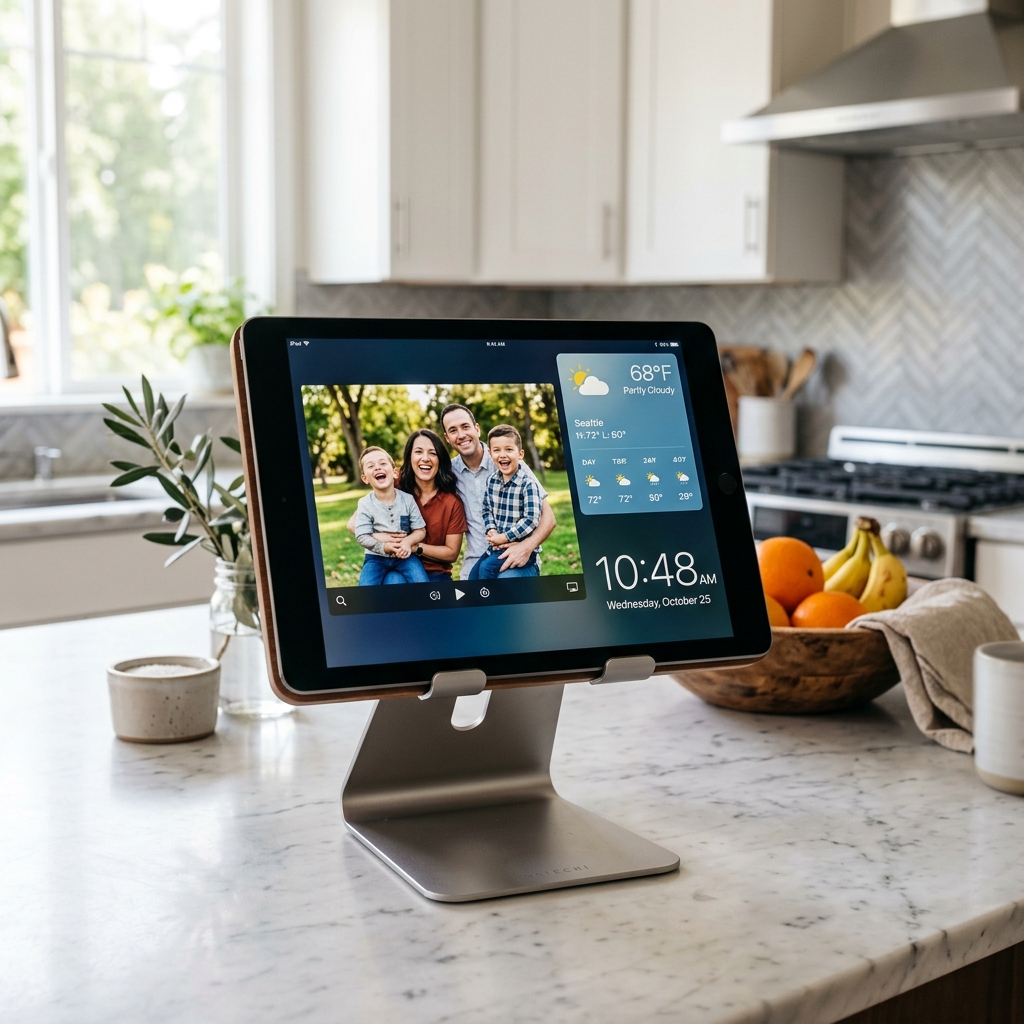
Bringing Warmth & Connection Back to the Heart of the Home
The kitchen is where mornings begin and busy days wind down. It is where parents brew morning coffee, kids grab after-school snacks, and families share meals together. Yet, in the morning rush, everyone is often scrambling to check the weather, glance at the time, or remember daily schedules on their individual handheld screens.
Commercial smart home kitchen displays cost anywhere from $150 to $350. Meanwhile, millions of households have an old iPad mini, iPad Air, or Android tablet tucked away in a kitchen cabinet—devices that once brought joy but were replaced by newer models.
Instead of letting that tablet sit forgotten, you can transform it into a vibrant, hands-free family kitchen hub in under a minute.
With Updrawer, you bring warmth, organization, and beloved family memories right onto your kitchen counter—completely free.
3 Wonderful Things Your Kitchen Dashboard Does for Your Family
1. A Living Digital Photo Frame for Shared Memories
Family photos shouldn’t remain trapped on smartphone camera rolls. Updrawer’s Photo Frame Widget transforms your tablet screen into an auto-rotating photo display, filling your kitchen with joyful vacation memories, family milestones, and favorite snapshots throughout the day.
2. Glanceable Real-Time Weather for the Morning Rush
No more checking your phone while packing lunchboxes. Updrawer displays live outdoor temperatures, daily high/low forecasts, and weather icons clearly visible from across the room.
3. Large Readable Clock for Cooking & Prepping
Keep track of prep times and school departure deadlines at a glance with high-contrast digital clocks designed to be readable from any angle in your kitchen.
Simple Step-by-Step Setup Guide for Kitchens
Updrawer requires no software downloads, no complex smart home hubs, and no app store logins.
- Power up your old tablet: Plug your iPad or Android tablet into a nearby outlet and connect to your home Wi-Fi.
- Launch your web browser: Open Safari or Chrome and navigate to updrawer.com.
- Save to Home Screen: Tap your browser’s Share icon and select Add to Home Screen. Tap the icon to launch Updrawer in clean, borderless full-screen view.
- Customize your kitchen widgets: Enable the Photo Frame, Weather Forecast, and Big Digital Clock widgets.
- Position your hub: Place the tablet on an angled aluminum counter stand, or mount it near your pantry using non-damaging adhesive strips.
Make Every Morning Brighter
Give your kitchen a warm, smart upgrade while giving your old tablet the second life it deserves. Experience updrawer.com on your tablet today!
Biến Điện Thoại Cũ Thành Smart Display Với Updrawer
Đừng để điện thoại cũ bám bụi trong tủ. Kích hoạt ngay giao diện đồng hồ để bàn, lịch âm dương & khung ảnh thông minh chỉ với 1 cú click.