
How to Turn an Old Tablet or Phone into a Dedicated Focus & Pomodoro Study Timer
Boost your productivity and eliminate smartphone distractions by repurposing an old Android tablet or phone into a dedicated desk Pomodoro study timer.
The Problem with Smartphone Productivity Apps
We have all been there: you sit down at your study desk or workspace with the best intentions, open a Pomodoro timer app on your daily smartphone, and commit to 25 minutes of deep focus.
Within minutes, a notification pops up from WhatsApp, Instagram, or email. You tap the screen to check it, and before you know it, 25 minutes of study time have slipped away into mindless scrolling.
The solution is not another app on your primary phone—it is separating your focus tools from your distraction engine.
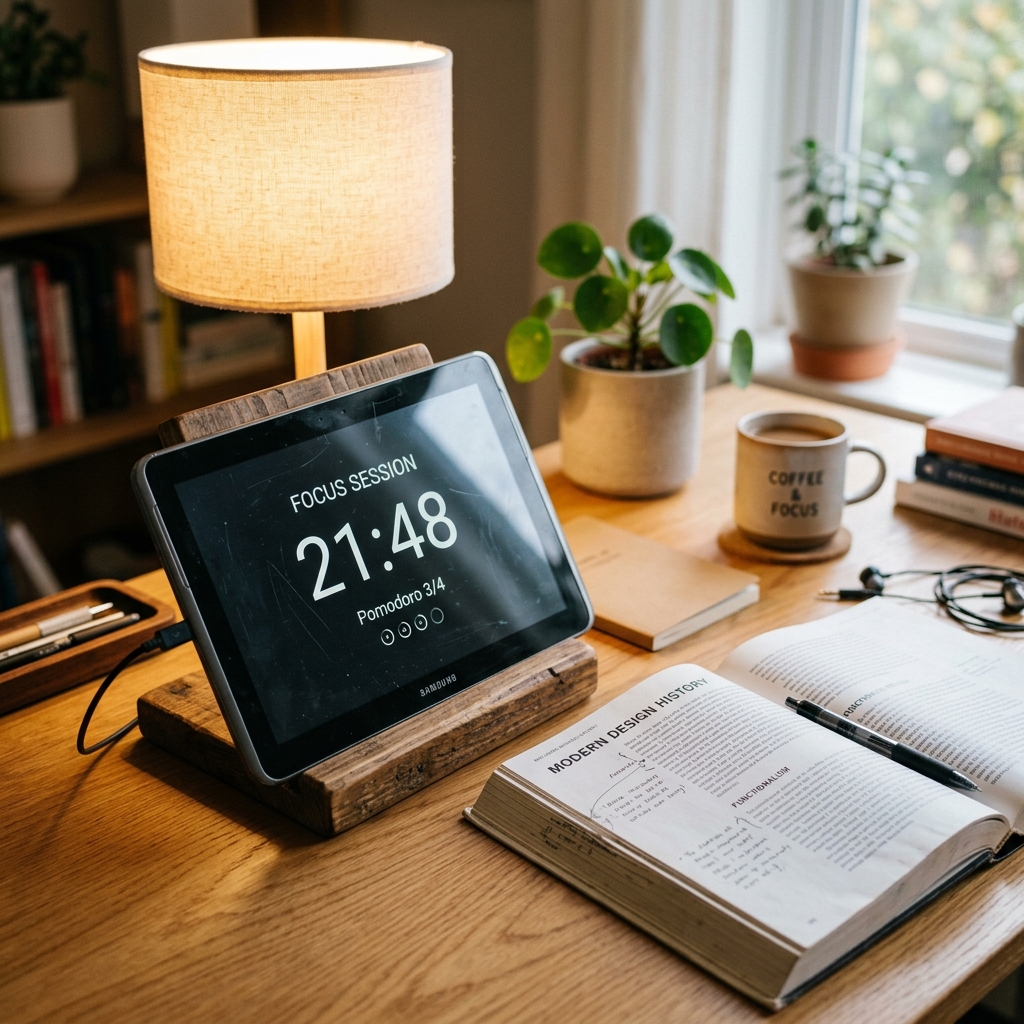
By repurposing an old, forgotten Android tablet or unused smartphone resting in your desk drawer, you can construct a dedicated, single-purpose Pomodoro study timer and focus clock that stays right in your line of sight without any incoming notifications.
Why an Upcycled Focus Display Works Wonders for Study Sessions
- Zero Notification Distractions: Your old secondary device does not need social media apps or active SIM cards. It functions strictly as a serene visual cue for time management.
- Always-Visible Countdown: Having a clear, large digital countdown timer resting next to your textbook or keyboard triggers strong psychological accountability.
- No App Installation Required: With Updrawer, you do not need to log into the App Store or Google Play Store on outdated hardware. You simply load the URL directly in the device’s web browser.
- Customizable Work & Rest Cycles: Easily switch between standard 25-minute focus intervals, 5-minute short breaks, and custom study sessions.
Step-by-Step Guide: Setting Up Your Pomodoro Desk Hub
Step 1: Prepare Your Old Device
Power on your unused tablet or phone, connect it to your home Wi-Fi network, and wipe unnecessary apps to ensure quick startup performance.
Step 2: Open Updrawer in Your Web Browser
Open Safari (iOS) or Chrome/Edge (Android) and type in updrawer.com. The interface loads instantly without requiring any user registration.
Step 3: Choose Your Focus Theme & Widgets
Select the Pomodoro Focus Clock layout. You can pair it with an ambient minimalist digital clock, a daily task list, and weather widgets to create your ultimate study dashboard.
Step 4: Launch Full-Screen Mode
Tap the browser share or menu button and choose “Add to Home Screen”. This creates an icon on your home screen that launches Updrawer as a clean, full-screen display without browser toolbars.
Step 5: Position on an Ergonomic Desk Stand
Place your tablet on a sturdy wooden or aluminum desk holder at a 45-degree angle. Plug in a charging cable to keep the display active throughout your study blocks.
Tips for Maximum Study Efficiency
- Keep Auto-Lock Off: Set your device screen settings to “Never Sleep” or rely on Updrawer’s internal display stay-awake feature.
- Enable Ambient Dark Mode: Switch Updrawer to dark mode during evening study sessions to reduce eye strain.
- Pair with Warm Lighting: Position your new focus clock under a warm desk lamp for a cozy, motivating study aesthetic.
Biến Điện Thoại Cũ Thành Smart Display Với Updrawer
Đừng để điện thoại cũ bám bụi trong tủ. Kích hoạt ngay giao diện đồng hồ để bàn, lịch âm dương & khung ảnh thông minh chỉ với 1 cú click.