Set up a kid screen
For parents of little kids

Turn an old tablet into a toy, not a TV

Hand over your phone and autoplay does the rest, one video into twenty. A hand-me-down tablet can be different: one breath spins a pinwheel, inflates a balloon, calls the fish over to eat. No ads, no up next.

Pick by age Try the fish tank
No adsNo autoplayNothing to install

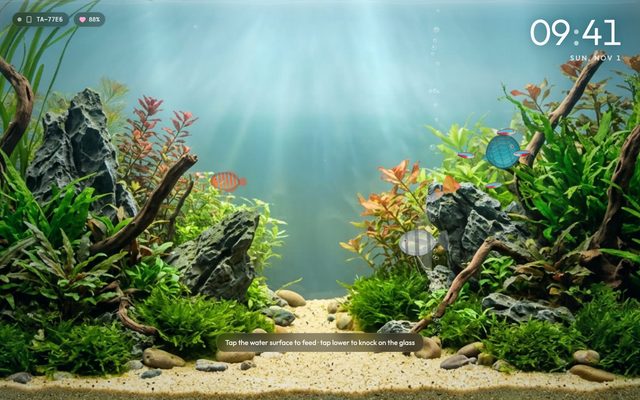
Tropical Aquarium
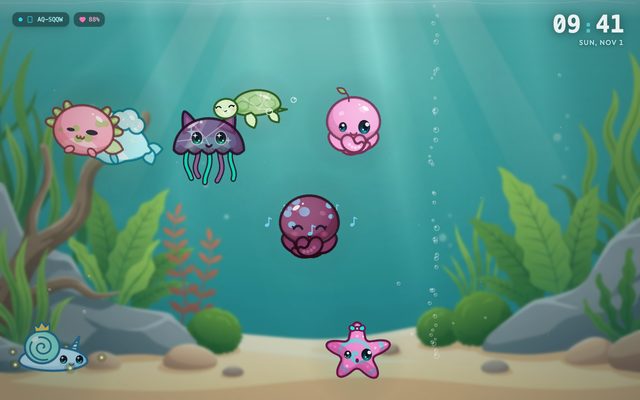
Glow Aquarium
Family Photo Frame
A wall fish tank they feed from your phone
Why an old tablet

Screen time they actually do something with

Nobody wants a kid glued to a screen. But sometimes you need ten minutes to get dinner on, and some screens make kids breathe, blow and giggle instead of sitting still.

Handing over your phone

  • One video turns into twenty thanks to autoplay
  • A stray tap FaceTimes your boss or orders something on Amazon
  • Taking it back starts a meltdown

A hand-me-down that runs one thing

  • Games played with their breath, so they blow, not just watch
  • Locked to one app, so there's nothing else to tap into
  • No up next, so when the game ends, it ends
By age

Where's your family right now?

Every age needs something different. Pick the closest one to see which apps to open.

Baby Clock
Suggested setup

The 3 a.m. feeding shift

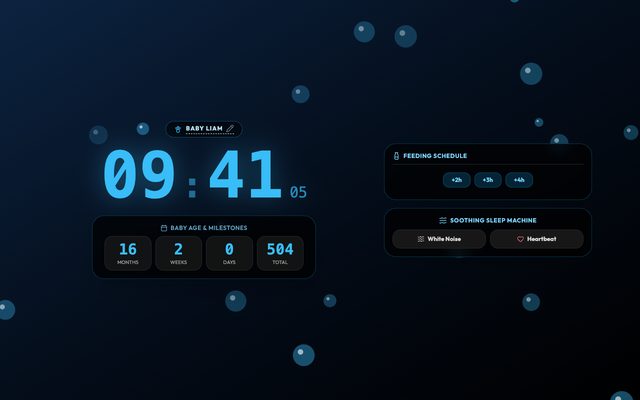
Next-feed reminders, a warm night light and white noise for the nursery on one screen. The photo frame lets the grandparents watch the baby grow.

Baby ClockFeeds, night light, white noise
Open →
Family Photo FrameWatch them grow
Open →
Calm ClockFor 3 a.m. feeds
Open →
In a corner of the nursery, brightness low, plugged in overnight.
Breathing Balloon
Suggested setup

Calm down with a balloon

Blowing slowly to grow a balloon is breathing practice that feels like a game. Then lights out, and the fish tank keeps swimming.

Breathing BalloonBedtime calm-down
Open →
Baby ClockFeeds, night light, white noise
Open →
Tropical AquariumA fish tank for the wall
Open →
Hold the tablet for them in bed, then set the fish tank on a shelf across the room.
Pinwheel & Bubbles
Suggested setup

Ten minutes of play together

Spin the pinwheel, pop the bubbles, make a wish and blow the dandelion away. They laugh out loud, and you can play too.

Pinwheel & BubblesBlow, then pop
Open →
Breathing BalloonBedtime calm-down
Open →
Dandelion WishWish, then blow
Open →
Tablet flat on the kitchen table, kid sitting across from it.
Tropical Aquarium
Suggested setup

A fish tank you never have to clean

Fish swim on the wall all day, and your kid uses your phone to drop food and tap the glass. The best part: no fish ever goes belly up.

Tropical AquariumA fish tank for the wall
Open →
Aquarium RemoteFeed fish from your phone
Open →
Glow AquariumGlowing jellyfish
Open →
Tablet or TV in the living room, your phone as the remote.
Apps

8 apps for a house with little kids

All free, all in the browser, no ads. Breath games use the mic only to measure how hard your kid blows; nothing is recorded.

Blow-to-play games

Breathing Balloon
Bedtime calm-down

Breathing Balloon

A calm-down breathing game for kids: blow gently and the balloon grows.

Try it →
Pinwheel & Bubbles
Blow, then pop

Pinwheel & Bubbles

Blow to spin the pinwheel, then pop the bubbles that drift out.

Try it →
Dandelion Wish
Wish, then blow

Dandelion Wish

Make a wish and blow, and the seeds ride the wind. Every kid wants one more turn.

Try it →

Fish tanks

Tropical Aquarium
A fish tank for the wall

Tropical Aquarium

A classic planted fish tank for your wall, with soft lofi music and light that shifts from day to night. Feed the fish from your phone.

Try it →
Aquarium Remote
Feed fish from your phone

Aquarium Remote

Open it on your phone so your kid can drop food, tap the glass and dim the tank lights.

Try it →
Glow Aquarium
Glowing jellyfish

Glow Aquarium

A living wall aquarium with tropical fish, glowing jellyfish, and phone remote feeding.

Try it →

For new parents

Baby Clock
Feeds, night light, white noise

Baby Clock

Feed reminders, a soft nightlight and white noise for the nursery.

Try it →
Family Photo Frame
Watch them growRuns on old devices

Family Photo Frame

Turn any old screen into a slideshow of the photos you love.

Try it →
Parent tips

Keep it a toy, not a habit

Lock it to one appTurn on Guided Access (iPhone, iPad) or App Pinning (Android). They can't swipe out or open anything else.Do this before you hand it over
Set a time limitGuided Access has a built-in timer. When it's up, the tablet locks itself and you're not the bad guy.One less meltdown
Keep it in a shared roomFish tank in the living room, not the bedroom. Everyone watches, everyone plays.The family's screen
Stand it up and plug it inUse a stand or a kid-proof case. A tablet that lives in one spot doesn't wander around the house.Drop-proof-ish
Setup

Done before the pasta water boils

1Open the link on the old tabletGo to updrawer.com in its browser. No app, no account.
2Pick a game and lock itOpen the one they like, go full screen, then turn on Guided Access or App Pinning.
3Pair your phone (optional)For the fish tank, scan the code on screen with your phone to turn it into the feeding remote.
FAQ

Parents ask

What can I do with an old tablet for my kid?

Skip the video app. Lock it to something interactive, like a blow-to-play pinwheel, a breathing balloon or a virtual fish tank they feed. They play actively, and you stay in control of the time.

Do the breath games record my child?

No. The mic is only used on the device to measure how hard they blow. Nothing is recorded or sent anywhere. The browser asks for mic access the first time.

How do I keep my kid from leaving the app?

On iPhone and iPad, turn on Guided Access in Settings > Accessibility. On Android, turn on App Pinning. Both let you set a time limit.

Any ads or in-app purchases?

No. Everything is free, with no ads and no buy buttons for little fingers to find.

Will it run on our old tablet?

The photo frame and clock run even on iPads stuck on iOS 10–12. The baby clock needs iOS 13 or Android 7, and the breath games and fish tanks run best on iOS 15 or Android 8 and up.

Does the fish tank remote need the same Wi-Fi?

It's most reliable when your phone and the tablet are on the same home Wi-Fi. Open the tank first, then scan the code on screen.

More ideas

Your old screen has more jobs it could do

Tonight, hand them a balloon to blow up

Grab the old tablet, open the breathing balloon, lock it. Then watch them blow up their first one.

Open Breathing Balloon All apps