Set up my desk
For students

Your old phone is the study timer you were about to buy

You check the time, and forty minutes later you're deep in someone's vacation photos. Let a spare phone handle the clock instead: 25-minute focus blocks, a countdown to finals, a new word every time you glance up. It has no apps that want you back.

Pick your situation Try the study timer
Nothing to installNo sign-upWorks on older iPhones
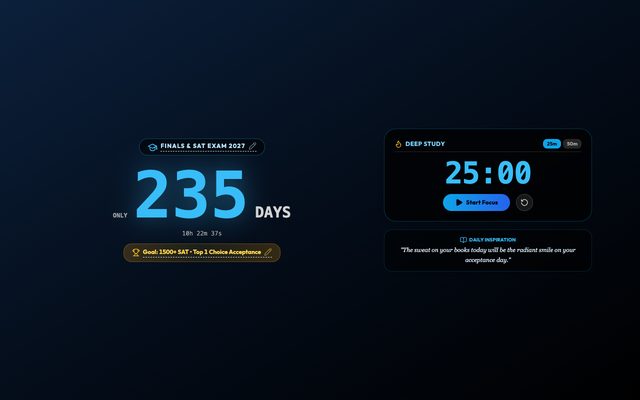
Pomodoro Study Timer
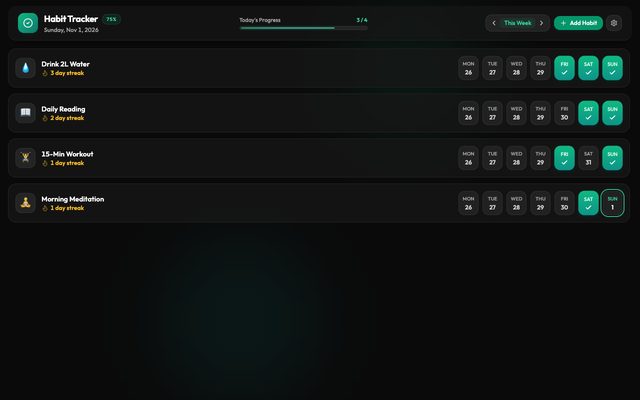
Habit Tracker
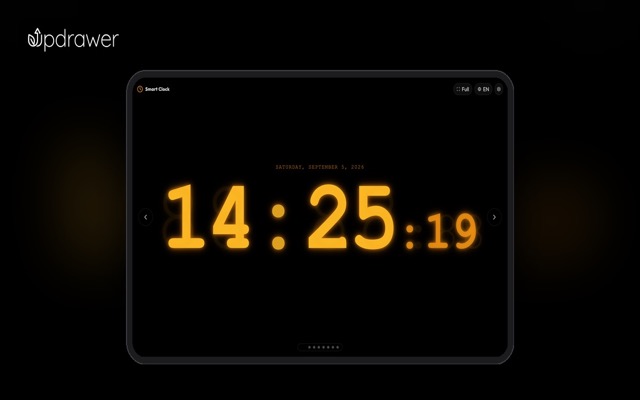
Calm Clock
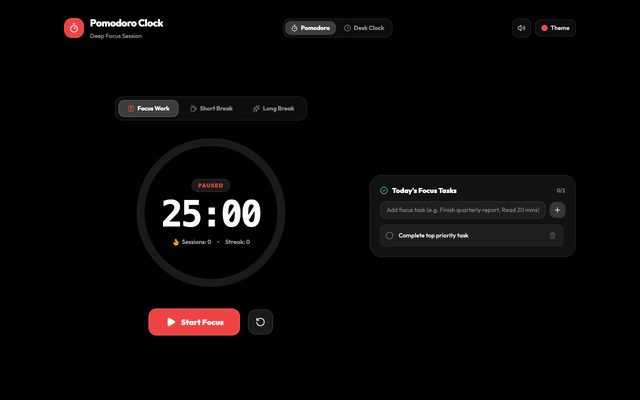
25-minute focus block next to a laptop
Why a second screen

You don't need more willpower. You need a phone with nothing on it.

Every focus app lives on the same device as every distraction. Move the timer to a phone that does one job, and the hardest part of studying, picking up your phone, goes away.

Studying with your main phone

  • You check the timer and three notifications are already waiting
  • The screen locks, so you lose track of how long you've actually worked
  • Flashcards sit in an app you only open the night before the test

A spare phone that only keeps time

  • The screen stays on, so one glance tells you how much is left
  • No notifications, so your real phone can stay in your bag
  • New words live right on the clock face, so you review without trying
By situation

What are you studying for?

Pick the closest one to see which apps to open and where to put the screen.

Exam Countdown
Suggested setup

Finals week, SAT, AP exams

Seeing "12 days left" every time you sit down does more than any reminder ever will.

Exam CountdownFinals, SAT, AP
Open →
Pomodoro Study Timer25-minute focus blocks
Open →
Habit TrackerKeep your streak
Open →
Old phone propped up next to your laptop showing the countdown; switch to the timer when you start.
Vocab Clock
Suggested setup

Learn words without opening an app

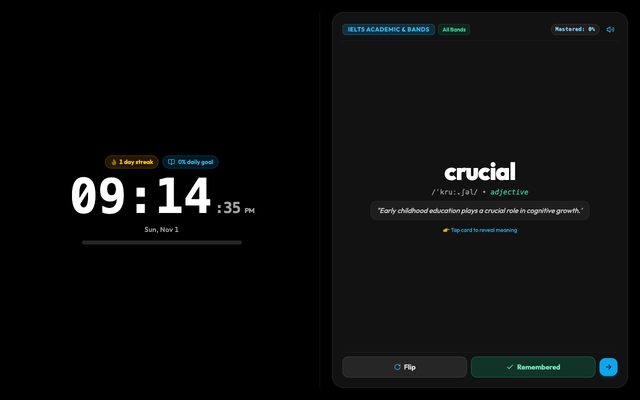
You glance at a clock dozens of times a day. Put a word there and you'll see it dozens of times too.

Vocab ClockA new word every glance
Open →
Calm ClockDesk or nightstand
Open →
Habit TrackerKeep your streak
Open →
On the shelf above your desk or on the nightstand, running all day.
Pomodoro Study Timer
Suggested setup

Stay in your seat a little longer

Anyone can do 25 minutes. Add some rain sounds and a minute of slow breathing, and starting stops feeling like a big deal.

Pomodoro Study Timer25-minute focus blocks
Open →
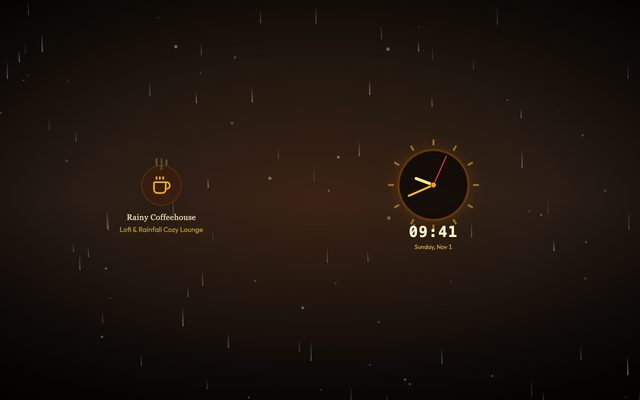
Rainy CoffeehouseBackground noise
Open →
Breathe FlowPre-test nerves
Open →
Timer next to your laptop; rain sounds on a small speaker or headphones.
Habit Tracker
Suggested setup

Little and often beats cramming

A 12-day streak on your shelf is hard to break. Nobody wants to be the one who ends it on day 13.

Habit TrackerKeep your streak
Open →
Pomodoro Study Timer25-minute focus blocks
Open →
Vocab ClockA new word every glance
Open →
On a shelf where you see it the moment you walk into your room.
Apps

7 apps for your study desk

All free, all in the browser. Anything tagged "Runs on old devices" works even on iPhones and iPads stuck on iOS 10–12.

Keep time

Pomodoro Study Timer
25-minute focus blocksRuns on old devices

Pomodoro Study Timer

A focus timer that sits next to your laptop so your phone can stay in the drawer.

Try it →
Exam Countdown
Finals, SAT, AP

Exam Countdown

Count down to finals, the SAT or any date you set, with a Pomodoro timer built in.

Try it →
Calm Clock
Desk or nightstandRuns on old devices

Calm Clock

A calm, burn-in-safe clock for your nightstand or desk.

Try it →

Learn a little every day

Vocab Clock
A new word every glance

Vocab Clock

A clock that quietly teaches you new words all day.

Try it →
Habit Tracker
Keep your streak

Habit Tracker

Check off today's habits and keep your streak flame alive.

Try it →

Stay calm

Rainy Coffeehouse
Background noise

Rainy Coffeehouse

Rain on the window and quiet lo-fi, like your favorite café without the $7 latte.

Try it →
Breathe Flow
Pre-test nerves

Breathe Flow

A three-minute breathing session that listens to your breath, for when your heart is racing before an exam.

Try it →
Where to put it

In sight, out of reach

Next to your laptopLandscape on a stand, at eye level. Best for the study timer and exam countdown.One glance, no unlock
On the shelfFar enough that you won't grab it to scroll. Let the vocab clock run here all day.Learn without trying
Dorm nightstandWake up to a new word instead of a wall of notifications.Dark, easy on the eyes
Lock it to one appTurn on Guided Access (iPhone) or Screen Pinning (Android) so the phone only runs that one app.Parents' favorite
Setup

Two minutes, start to finish

1Open the link on your old phoneGo to updrawer.com in its browser. Nothing to install, no account.
2Pick an app and set it onceEnter your exam date, focus length or word list. It remembers next time.
3Plug it in and prop it upTap full screen so it stays on. Your main phone goes in your bag.
FAQ

Students and parents ask

How do I study without getting distracted by my phone?

Stop using that phone as your clock. Put a spare phone on your desk that only runs a study timer, and keep your main phone in another room or your bag. If you never pick it up, it can't pull you in.

What is the Pomodoro technique?

You work in 25-minute focused blocks with 5-minute breaks, and take a longer break after four blocks. The study timer runs the blocks for you and chimes when it's break time.

Can I count down to finals or the SAT?

Yes. The exam countdown has an SAT preset, or you can enter any date and time. It shows the days left alongside a Pomodoro timer.

Is it free?

Yes. Every app runs free in the browser with no ads on screen.

Will it work on my old phone?

The study timer and clock run even on iPhones and iPads stuck on iOS 10–12. The exam countdown and vocab clock need iOS 13 or Android 7 and up.

Can my kid still browse on that phone?

It's still a browser, so if you want to be sure, turn on Guided Access on iPhone and iPad or Screen Pinning on Android to keep it on one app.

Is it OK to keep it plugged in all day?

Turn the brightness down, use a dark theme and enable optimized charging if your phone has it. The apps shift slightly over time to prevent screen burn-in.

More ideas

Your old screen has more jobs it could do

Tonight, let the old phone keep time

Dig it out of the drawer, plug it in, open the study timer. All that's left is sitting down for the first block.

Open the study timer All apps